
Powerful scientific calculator
Do you need to perform complex mathematical equations on the fly? Install HandyCalc on your Android phone and you won't need to carry a scientific calculator around.
HandyCalc is probably the most powerful calculator you can install on Android, far superseding the utility that comes with your device. Despite its power, the application is very easy to use, thanks to a neat, touch-friendly user interface.
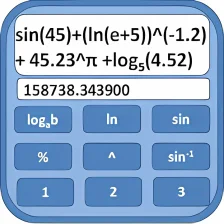
When you first load up HandyCalc you'll wonder how on Earth it can do anything given its minimalist appearance. Delve further into the app though and you'll realize that the program is capable of some pretty complex stuff. This includes advanced mathematic equations and equation sets, the ability to define variables and functions, plus some rather cool graph plotting options.
One useful feature of HandyCalc is the 'Ans' button, marked as a right-arrow with a dot on it. This button lets you store answers as variables allowing you to operate with it on future calculations, while retaining the ability to go back through previous calculations.
There is a wide range of options to tinker with, and it's worth checking out the 'Tools' section too. Here you'll find brief descriptions of the different variables and functions, as well as a currency converter and unit converter.
Beginners may still get a bit baffled by the scope of HandyCalc. But if you need to perform complex equations, you'd be hard-pushed to find a better Android tool.
New keypadHoneycomb support (fix screen rotation bug)
Changes
New keypadHoneycomb support (fix screen rotation bug)




























User reviews about HandyCalc
Have you tried HandyCalc? Be the first to leave your opinion!